
Quickstart
Get from zero to a running stack in one wizard run. Choose your memory provider in the wizard (Hindsight by default; mem0 or Cognee if you prefer) — same CLI either way. Cloning the repo is optional; npx personal-memory is the usual path.
Before you start
Section titled “Before you start”| Requirement | Why |
|---|---|
| Docker + Compose v2 | Runs the stack; your user must run docker without sudo |
| Node.js ≥ 20.12 | CLI and setup wizard |
| LLM for Hindsight (default provider) | lemond, Ollama, or OpenAI-compatible — wizard wires LiteLLM |
| git, curl | Wizard preflight |
Default stack is Hindsight. Other providers: wizard or npx personal-memory providers (provider status).
1. Run the wizard
Section titled “1. Run the wizard”From npm (recommended):
npx personal-memoryFrom a git checkout (repo directory is the stack root):
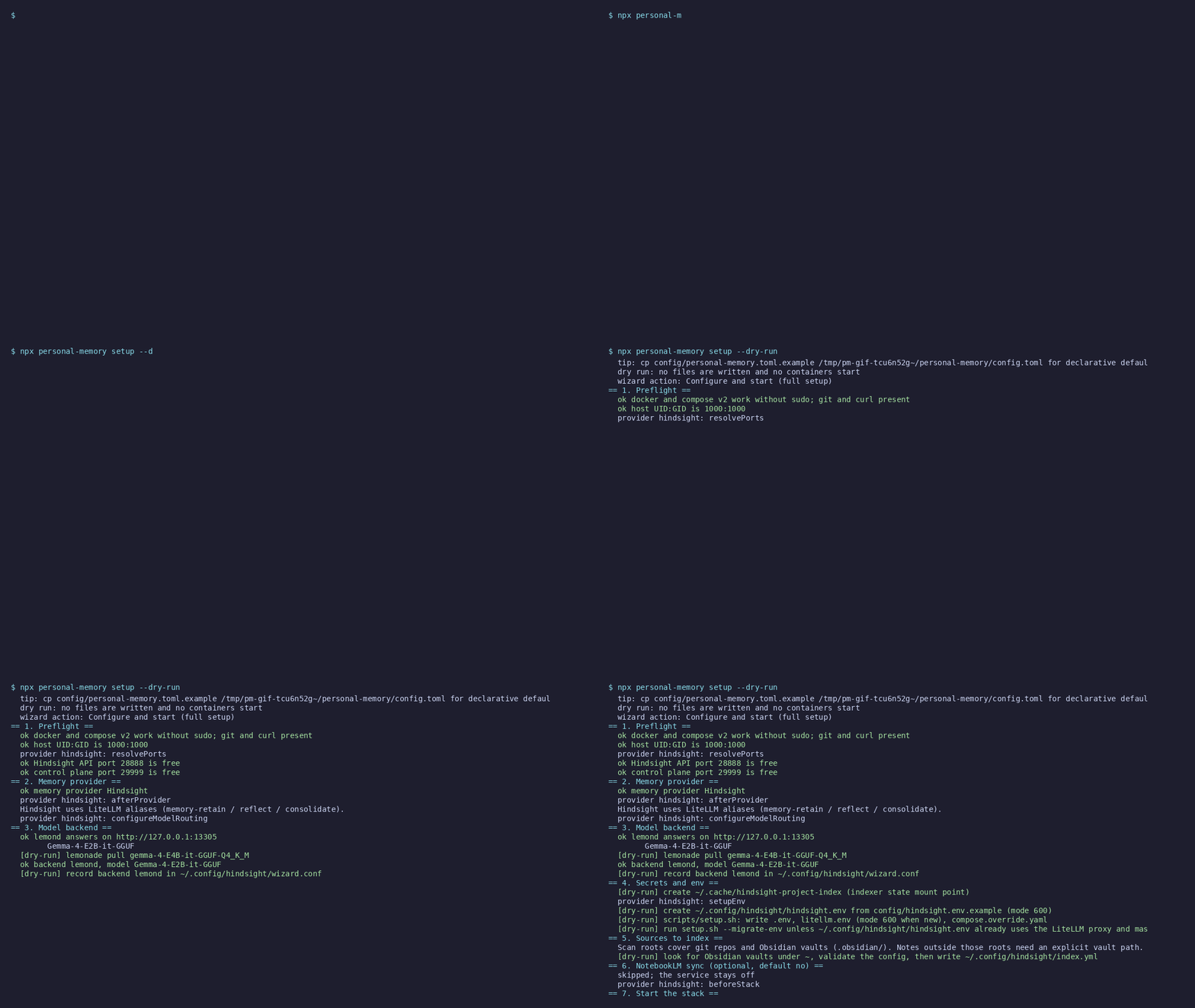
git clone https://github.com/bcmyguest/personal-memory.gitcd personal-memorynpm installnpx . setupThe wizard asks for a memory provider, provider settings, what to index, then starts Docker and runs a smoke test.
Useful variants:
npx personal-memory setup --dry-run # plan only, no writesnpx personal-memory configure --yes # defaults + start, no promptsWizard dry-run (what first setup plans — no writes):
2. Confirm it is up
Section titled “2. Confirm it is up”npx personal-memory doctorcurl -fsS http://127.0.0.1:8888/health # Hindsight default; see wizard output for other providers3. Wire your coding agent (optional)
Section titled “3. Wire your coding agent (optional)”Session memory: npx personal-memory install-coding-agent --yes — unified MCP plus session hooks for Claude Code, Codex, OpenCode, Cursor CLI (any active provider). Optional --hindsight-plugin adds the upstream Hindsight plugin. Not the same as install-mcp alone.
install-mcp merges the personal-memory unified MCP (memory_add, memory_search, memory_recall, memory_reflect, memory_consolidate, memory_forget on whichever provider you picked) and, when NotebookLM sync is on, the NotebookLM MCP:
npx personal-memory install-mcp --yesnpx personal-memory install-mcp --yes --notebooklm # force NotebookLM entrySession hooks use the in-repo shim by default; add --hindsight-plugin if you also want the upstream Hindsight plugin. Optional native mem0/Cognee MCP: install-mcp --provider-only. See Architecture.
Restart Cursor Agent after MCP changes.
npx personal-memory upnpx personal-memory downnpx personal-memory switch mem0 --yesnpx personal-memory doctor| Command | Purpose |
|---|---|
up / down |
Start or stop the stack (down keeps data volumes) |
switch <id> --yes |
Change provider (no memory migration) |
doctor |
Validate config without the smoke test |
In a checkout, use npx . instead of npx personal-memory.
Where files live
Section titled “Where files live”| Install | Stack root (compose, .env) |
|---|---|
npx personal-memory |
~/.local/share/personal-memory/stack (override: PM_STACK_ROOT) |
| Git checkout | The clone directory |
Secrets and index config: ~/.config/hindsight/ (and optional ~/.config/personal-memory/config.toml).
- Architecture — data flow, indexing, MCP by provider
- Index sources — git, Obsidian, notes/papers/bookmarks, feed cache
- Install with npx — upgrades, troubleshooting
- Configuration file — declarative
config.toml
This page is generated from docs/quickstart.md in the repository.